Your First Listen
Start playing an audiobook, understand the player controls, and see filters in action.
Starting playback
Open any audiobook from your library and tap Play, or Resume if you've listened before. Playback picks up where you left off.
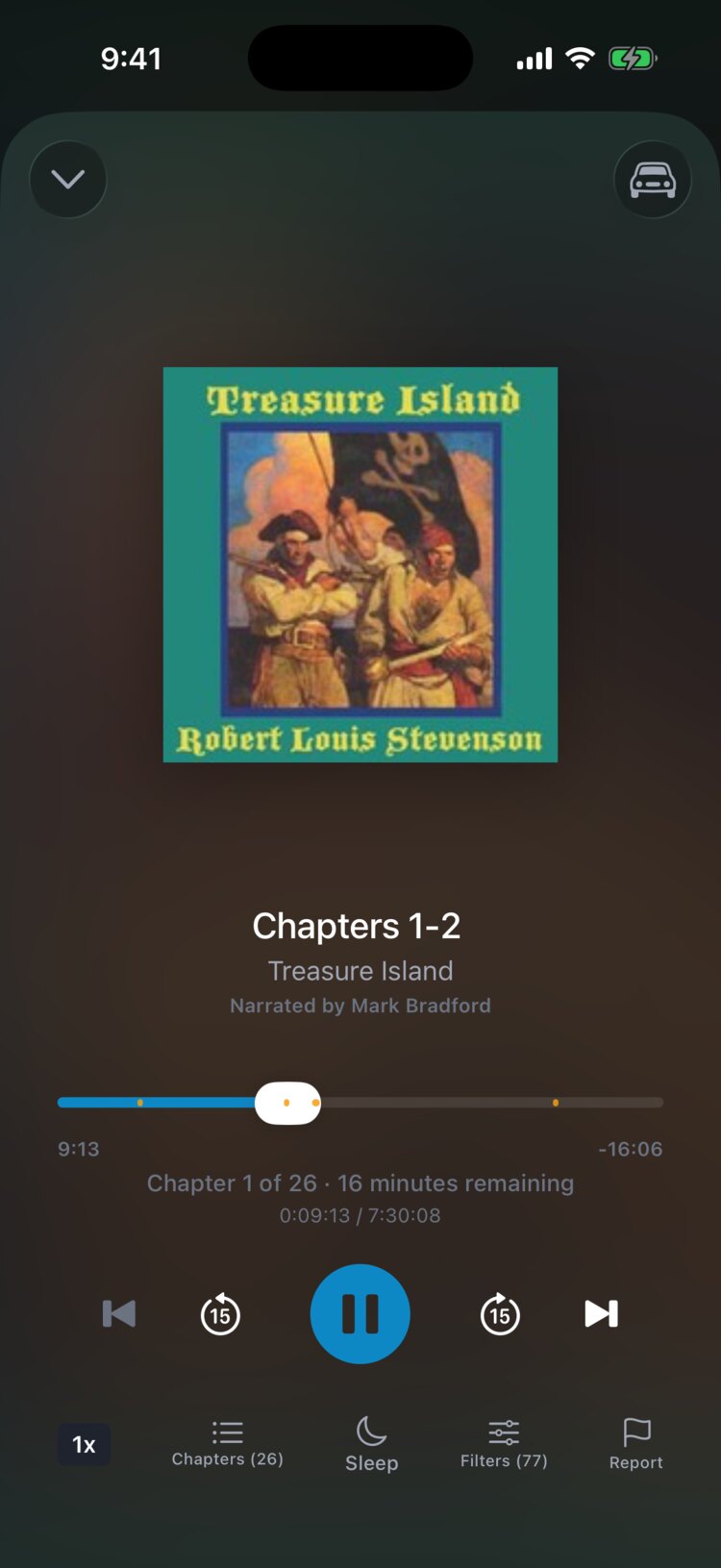
The Now Playing screen shows the cover, the chapter, the playback controls, and a progress bar. Along the bottom are buttons for speed, Chapters, Sleep, Filters, and Report. The Filters button shows how many filters are active for this title.
Understanding filter skipping
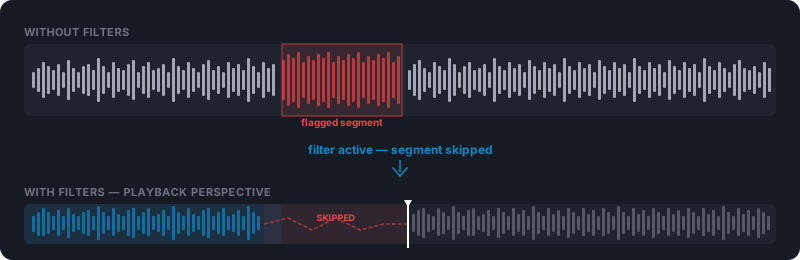
When filters are on, the player skips past segments that match your filter settings. You'll notice a short forward jump when it reaches a filtered moment.
No content is deleted or changed. The player seeks past the filtered moment and keeps playing, and the original audiobook stays untouched.
The mini player
When you leave the Now Playing screen, a mini player bar appears at the bottom of the app with the current title and play/pause, so you can keep browsing while you listen.
Tap the mini player to return to the full Now Playing screen.
Background playback
Playback keeps going when you lock your phone or switch apps, and filters stay active.
Playback controls also appear on your lock screen, so you can pause and skip without opening the app.