Player Controls
Learn about all the controls available on the Now Playing screen.
In this article
Basic controls
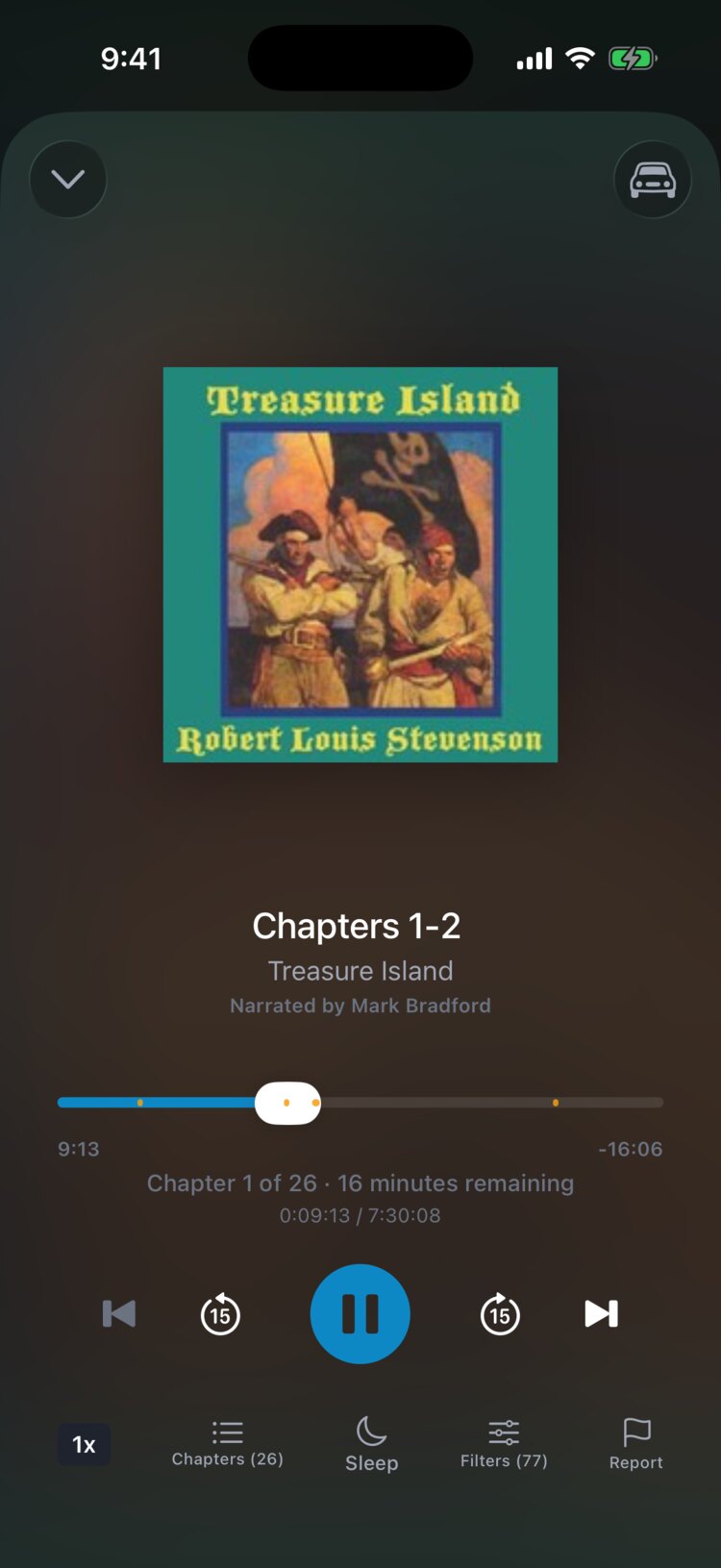
The Now Playing screen has a play/pause button in the center, skip-back and skip-forward buttons on either side, and previous and next chapter buttons on the outside. The skip buttons jump 15 seconds by default. You can change each direction separately in Settings, then Playback.
The progress bar shows your position in the current chapter. Drag it to move to any point.
Bottom bar controls
Along the bottom of the Now Playing screen are buttons for playback speed, Chapters, Sleep (the sleep timer), Filters (the filter sheet for this title), and Report (to report a missed filter or another problem).
The car icon at the top right switches to Car Mode, with larger controls for driving.