What Is Bring Your Own Title?
Learn how AudioHaven lets you import audiobooks you already own and apply content filters.
In this article
The idea
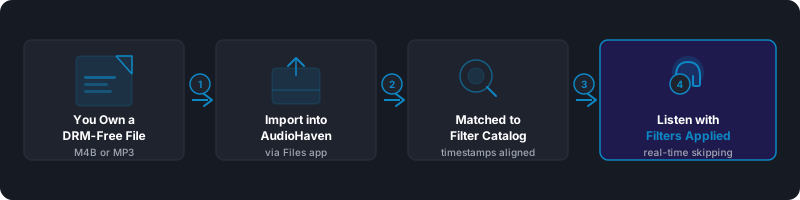
You don't need to buy an audiobook again to filter it. If you own a DRM-free copy, bring it into AudioHaven and listen with the same filters you use for everything else. Imported books always play from the copy on your device.
There are two ways to bring a book in: link a supported store account, or import an audio file from your device.
What's supported
You can import M4B, MP4, and MP3 audiobook files. M4B is best because it carries chapter information, which gives you chapter navigation and chapter-by-chapter filter matching.
DRM-free requirement
Only DRM-free audiobooks can be imported. DRM-protected files, like those from Audible, are encrypted and can't be read by AudioHaven. Libro.fm, Downpour, and AudiobooksNow sell DRM-free audiobooks.
Filters on your own books
When your book matches a title in our filter catalog, your filters apply to it just like any other book. Filtering is part of Premium.
If your book doesn't have filters yet, you can upload it to us for filtering. A person on our team reviews every filter before you hear it, the same as every other book in AudioHaven.
Where your audio goes
Importing a book keeps the audio on your device. Only the book's details are sent to find matching filters.
The audio leaves your device only if you choose to upload the book for filtering. An uploaded copy is kept privately so we can fix filter reports. It's never streamed or shared, and you can ask us to delete it anytime.